Apple Silicon only

Your Mac,
unfiltered.

Menu bar monitor for M-series Macs. CPU, GPU, memory, battery, network, disk — all of it. Free, open source, no subscription.

🟢 CPU 14%  MEM 52%
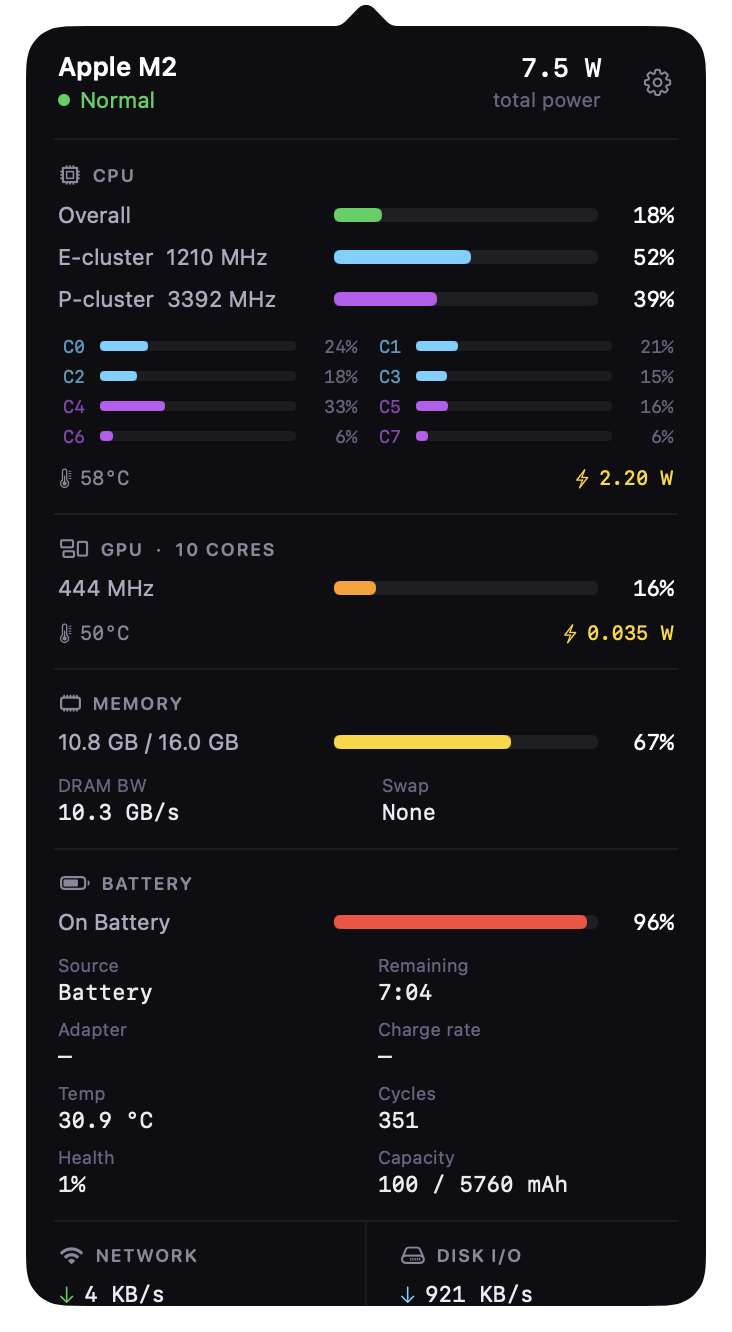
Dashboard
MacMonitor dashboard
macOS 13 Ventura+ Apple Silicon only 2s refresh M1 · M2 · M3 · M4 No Dock icon No App Store Free forever MIT License

Everything
your Mac does.

01
Menu Bar Indicator
Live 🟢🟡🔴 health dot with CPU and memory. Updates every 2 seconds. Never open Activity Monitor again.
02
Full Dashboard
CPU per-core, GPU, memory, battery, network, disk I/O, and six power rails — all in one panel. Click the menu bar item to open it.
03
Battery Intelligence
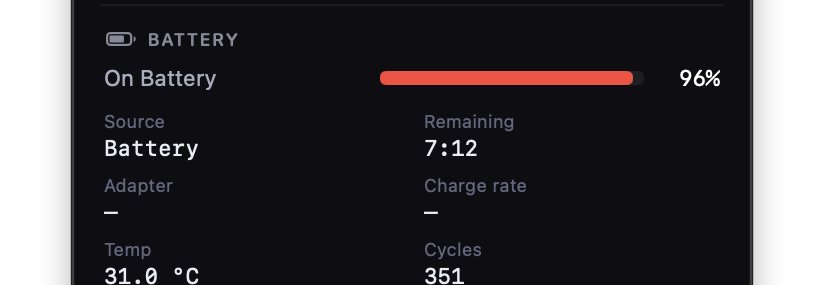
Cycle count. Health %. Charge rate in watts. Adapter wattage. Current, max, and design mAh. Cell temperature. Every number your battery has.
04
GPU & Apple Silicon
GPU usage, frequency, temperature, ANE power, DRAM bandwidth — via Apple's private performance counters through mactop. Stuff the public API won't give you.
05
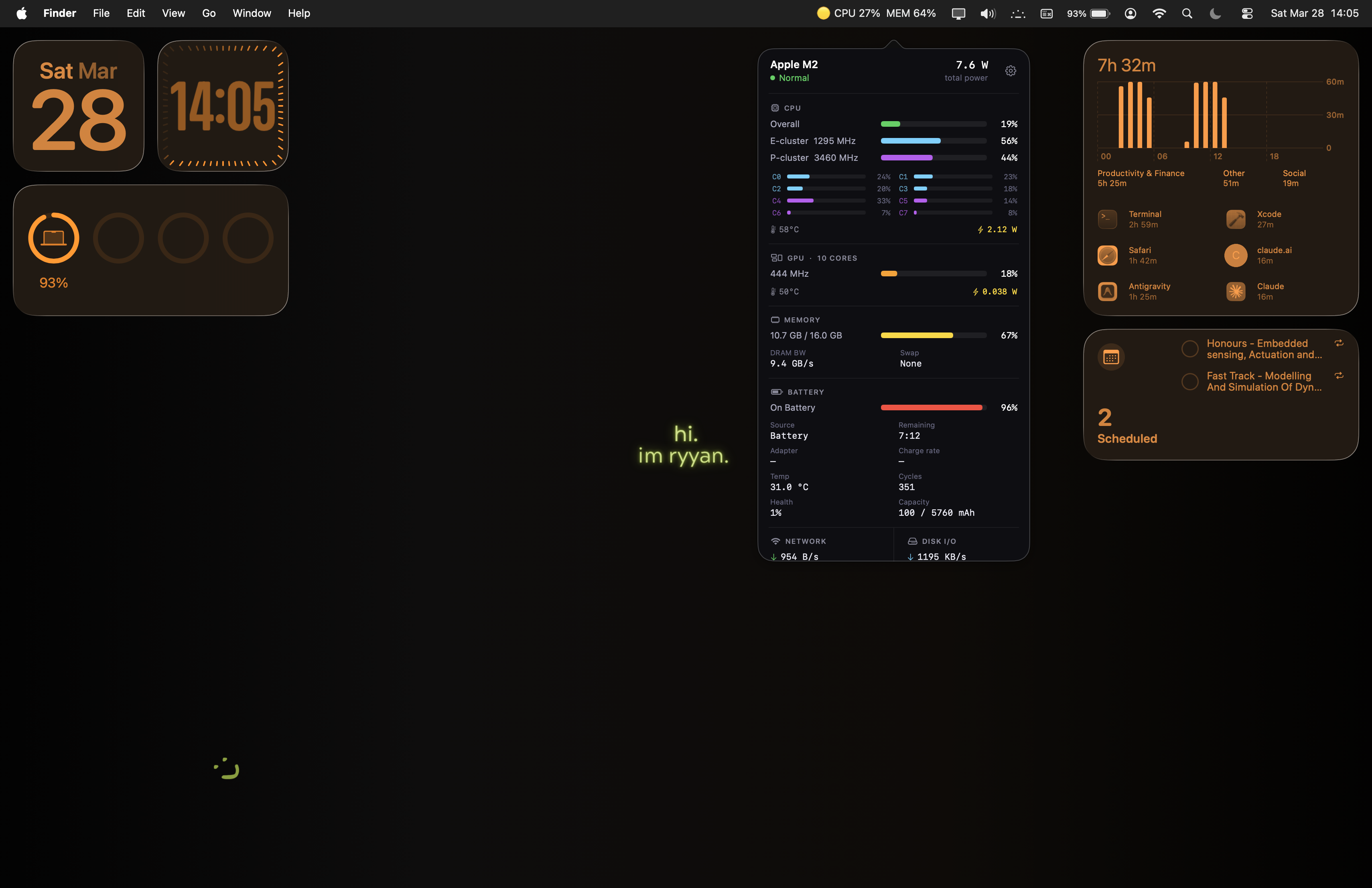
Desktop Widget
WidgetKit. Standalone. No background app needed. Drop it on your Sonoma or Sequoia desktop or inside Notification Centre. Small and Medium.
06
Process Monitor
Top 8 CPU consumers. Name, usage %, memory. One glance — no need to dig through Activity Monitor.
Desktop Widget

Drop it on
your desktop.

Small and Medium sizes. Powered by WidgetKit — collects its own data via Mach kernel APIs, no parent app required. Works on macOS Sonoma and Sequoia, desktop or Notification Centre.
Widget on desktop
Battery

Down to
the milliamp.

Everything pmset and ioreg expose — surfaced where you can actually read it. Cycle count, health %, charge rate in watts, adapter power, mAh breakdown, cell temperature.
Battery details

Get MacMonitor.

Three ways in. Free forever.

Homebrew
Auto-updates. Easiest.
$ brew tap ryyansafar/macmonitor https://github.com/ryyansafar/MacMonitor $ brew install --cask macmonitor
One-liner
Installs everything, launches immediately.
$ curl -fsSL https://raw.githubusercontent.com/ryyansafar/MacMonitor/main/install.sh | bash
DMG
Drag to Applications.
Download MacMonitor.dmg →
Open source
If it's useful, leave a star.
MacMonitor is built in the open. Stars help others find it — and they mean a lot to a solo developer.
Star on GitHub ☕ Buy me a coffee
© 2025–2026 MacMonitor · MIT License · Built for Apple Silicon